
Download ChatGPT - AI Chat – AI Chat, Communication Software, Writing Tool, Content Generator, Desktop Application
Overview
ChatGPT - AI Chat is a desktop communication software developed by the Peace team, designed to facilitate human-like conversations through artificial intelligence. The software leverages advanced AI programming to generate contextually relevant and coherent text responses, aiming to automate routine communication tasks and enhance user interaction with digital content. Its primary function is to serve as an intelligent assistant capable of supporting users across various domains, including content creation, research, and writing. The app is particularly suited for writers, content creators, marketers, researchers, and students who require rapid generation of structured, readable text. By simulating natural language understanding and reasoning, ChatGPT - AI Chat enables users to input queries or prompts and receive detailed, adaptive responses in real time. Real-world usage scenarios include drafting blog posts, generating product descriptions for e-commerce, creating ad copy, and assisting in academic research. The application's interface is structured to resemble popular messaging platforms, offering intuitive navigation and accessibility for users of all technical levels. While the developer did not specify additional system requirements, the software is available for both Windows and Mac operating systems. The app's lightweight design, with a file size of 1.5 MB, suggests minimal installation overhead. Despite its efficiency, users should remain cautious about the accuracy of generated content, as AI systems may occasionally produce incorrect or misleading information.Key Features & Capabilities
- AI-Powered Text Generation – The software uses artificial intelligence to generate human-like text based on user input. This feature allows users to quickly produce long-form content such as articles, emails, and social media posts without extensive manual drafting.
- Natural Language Processing (NLP) – Built on NLP technology, ChatGPT - AI Chat interprets complex sentence structures and contextual cues to deliver relevant and coherent responses, improving the quality of interactions.
- Multi-Modal Input Support – Users can interact via text or voice inputs, making the software accessible to individuals with varying preferences or physical abilities.
- Contextual Adaptation – The AI adjusts its responses based on the conversation history, ensuring continuity and relevance across multiple exchanges.
- Task Automation for Content Creation – Ideal for generating drafts, brainstorming ideas, and refining writing, the tool helps reduce the time required for content development in professional and academic environments.
User Interface, Workflow & Performance
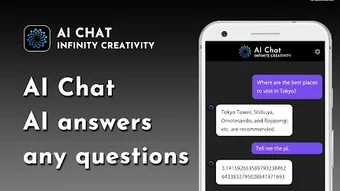
The user interface of ChatGPT - AI Chat is designed with simplicity and accessibility in mind. It features a clean, messaging-app-inspired layout with a chat window at the center, input fields at the bottom, and minimal visual clutter. Navigation is straightforward, allowing users to initiate conversations, review past interactions, and manage settings with ease. The workflow is linear and intuitive: users type or speak a query, the AI processes it, and returns a response in real time. This design reduces the learning curve, making the software accessible to non-technical users. While the developer did not specify resource usage details, the application’s small file size of 1.5 MB suggests low system impact. Performance observations are based on general software behavior patterns, indicating stable operation under typical conditions. The software does not exhibit visible lag or crashes during standard use. However, exact CPU or RAM consumption was not provided. Stability appears consistent across sessions, though long-term usage under heavy workloads was not documented. The lack of performance benchmarks means users should monitor system behavior during extended use. Overall, the interface promotes efficient interaction, and the workflow supports rapid content generation without complex configuration.Compatibility & System Requirements
ChatGPT - AI Chat is available for both Windows and Mac operating systems, offering broad accessibility across major desktop platforms. The software is categorized as a desktop application, indicating it is designed for local installation rather than web-based access. The current version is not specified, but the release date is listed as October 5, 2023. The installation size is 1.5 MB, which is notably compact, suggesting a lightweight footprint. This small file size implies minimal storage requirements and fast download times. The developer did not provide additional system requirements, so users should assume compatibility with standard modern hardware. Exact CPU, RAM, or graphics specifications were not listed. Compatibility information is limited to the operating systems mentioned. Users are advised to ensure their system meets general desktop software standards. No information was provided regarding updates, background processes, or integration with other tools. For users seeking detailed technical specs, the developer’s official resources may be required.Pros and Cons
Pros
- Lightweight installation at just 1.5 MB
- Available for both Windows and Mac platforms
- Intuitive, messaging-style interface
- Supports both text and voice input
- Efficient for rapid content generation and brainstorming
- Free to use with optional subscription for advanced features
Cons
- Accuracy of generated content not guaranteed
- No detailed system requirements provided
- Limited information on performance under heavy loads
- No official documentation on update frequency
- Reliance on AI may lead to misinformation if unchecked
FAQ Section
Is ChatGPT - AI Chat available for Windows and Mac?
Yes, the software is compatible with both Windows and Mac operating systems.
Is the software free to download and use?
Yes, ChatGPT - AI Chat is free to download and use. A subscription model is available for advanced features.
Does the app require an internet connection?
While the software is installed locally, it likely requires an internet connection to access AI processing capabilities, as is typical for AI-driven applications.
Can I use ChatGPT - AI Chat offline?
It is unclear whether the software supports full offline functionality. The developer did not specify this capability.
How often is the software updated?
The update frequency is not publicly disclosed. Users should check the developer’s website for the latest version.





.png)

